US Passport Photo
2×2 inch (51×51mm) square white background. Meets U.S. State Department standards.
- Printed size
- 51 × 51 mm
- Digital size
- 602 × 602 px
- Background
- White
- Head height
- 25-35mm
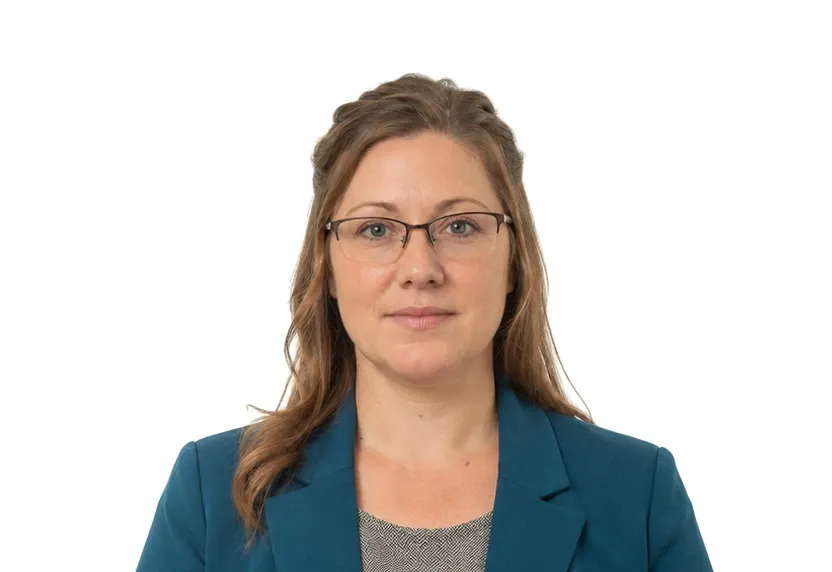
Size & specifications
US Passport Photo — requirements
| Printed size | 51 × 51 mm |
|---|---|
| Digital size | 602 × 602 px |
| Head height | 25-35mm |
| Background | White |
| Resolution | ≥ 300 DPI |
| Recency | — |
| Glasses / expression | — · — |
| Digital format | — |
One upload, two deliveries: the pixel-exact digital file and a 300 dpi print-ready sheet.
What each line means
Printed size — print at exactly 51 × 51 mm. A few millimetres off and most offices hand the form back before anything else is checked.
Digital size — the digital file must measure 602 × 602 px. Anything smaller gets refused by many online systems before a person sees it.
Head height — your head, crown to chin, should span 25-35mm. Too small reads distant; too large and the crop will not fit.
Background — a plain White background, with no shadows or gradients. A wall lit unevenly is the fastest route to a refusal.
Resolution — 300 dpi keeps a face sharp in print. Below that, features soften and agencies ask for a retake.
Photo examples
What passes — and what gets rejected.

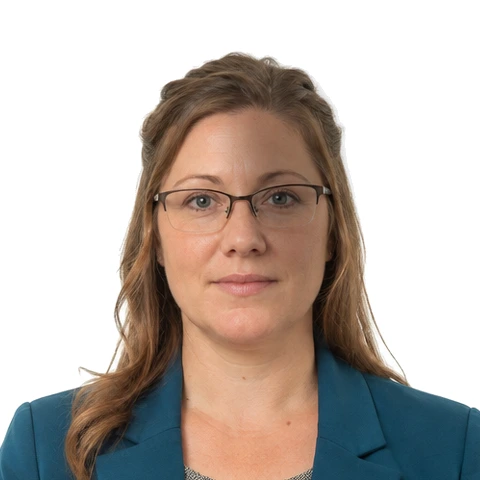
How to take a US Passport Photo with your phone
Photo size and head position
The US passport photo is 2×2 inches (51×51 mm) and is a true square. A rectangle trimmed to look like one is a different shape. Printed at 300 dpi that square is 602×602 px. Labs that crop by hand drift a millimetre here or there, and reviewers catch that drift.
The head has two measured bands. Crown to chin it should occupy 25-35 mm, and your eyes should sit 28-35 mm up from the bottom edge. Both bands are wider than people expect, so photos cropped too tight fail more often than loose ones.
Shooting at home
Stand about half a metre from a plain white wall. Have someone hold the phone at your eye level with the camera horizontal, or prop it on a shelf if you are shooting alone. Leave a little space above your hair for the crop.
Lighting setup
Daylight through a window in front of you is the dependable setup. A window behind you drops your face into shadow and tints the wall grey, and neither fault can be fixed after the shutter. Overhead evening light creates shadows under the brow and nose, which also counts as a defect.
Dress plainly. Uniforms and camouflage prints are named on the State Department ban list. A white shirt against a white wall can blend into the background at the shoulders.
Expression, glasses and file processing
Neutral expression, mouth closed, eyes open on the lens. Take your glasses off entirely: prescription pairs are only allowed with a signed doctor's note, and frames catch glare that reviewers flag first. The photo must come from the last 6 months and show how you look now, with no filters or reshaping apps.
Upload the shot and this page crops to 51×51 mm at 300 dpi (602×602 px), replaces the wall with even white, and checks size, head position and background before the download is released.
Why US Passport Photo gets rejected
Photo geometry and measurements
The square is the first requirement. A rectangle stretched or squeezed to 2×2 inches fails on sight, and so does a head outside 25-35 mm or eyes outside the 28-35 mm band. Reviewers measure these lines with a template; the check on this page measures them before download.
Background faults
An off-white wall, a gradient of afternoon light, a shadow cast by the photographer's arm: each turns plain white into something a reviewer reads as patterned. Reshoot against a clear stretch of wall with the light in front of you. Let the tool flatten the tone.
Common rejection reasons
Photos older than 6 months, glasses left on, a head tilted fifteen degrees to one side: none of these look wrong at a glance, and all of them are on the rejection list. Retouched files fail the same way, because the rules name filters and editing apps directly.
How it works
Photo tips
Frequently asked questions
What size is a US Passport Photo?
The standard size is 51 × 51 mm (602 × 602 px at 300 DPI). The tool crops and scales your photo to exact requirements automatically.
Can I smile in the photo?
Requirements call for: a natural expression. When in doubt, keep a neutral face with both eyes open.
How recent must the photo be?
Old photos are a common rejection reason.
Is my photo private?
Yes. Uploaded photos are encrypted in transit and automatically deleted within 24 hours. We never share or resell uploads.
Can I take the photo with my phone?
Yes. Shoot against a plain wall in even daylight, keep the phone at eye level, and leave space around your head. The tool then crops to the exact 51×51 mm square and cleans the background to pure white.
Why do passport photos get rejected?
Wrong size, a head outside the 25-35 mm band, a non-white background, shadows on the face, and headwear are the usual causes. The compliance check on this page flags these before you submit.