Resume Photo
Resume/CV headshot. 25×35mm (1-inch), white or blue background.
- Printed size
- 25 × 35 mm
- Digital size
- 295 × 413 px
- Background
- White/Blue
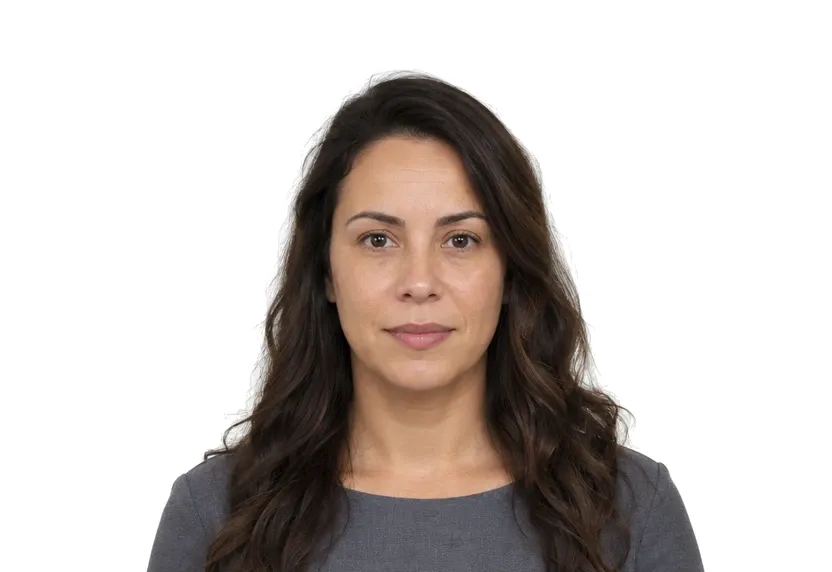
Size & specifications
Resume Photo — requirements
| Printed size | 25 × 35 mm |
|---|---|
| Digital size | 295 × 413 px |
| Head height | — |
| Background | White/Blue |
| Resolution | ≥ 300 DPI |
| Recency | — |
| Glasses / expression | — · — |
| Digital format | — |
One upload, two deliveries: the pixel-exact digital file and a 300 dpi print-ready sheet.
What each line means
Printed size — print at exactly 25 × 35 mm. A few millimetres off and most offices hand the form back before anything else is checked.
Digital size — the digital file must measure 295 × 413 px. Anything smaller gets refused by many online systems before a person sees it.
Background — a plain White/Blue background, with no shadows or gradients. A wall lit unevenly is the fastest route to a refusal.
Resolution — 300 dpi keeps a face sharp in print. Below that, features soften and agencies ask for a retake.
Photo examples
What passes — and what gets rejected.
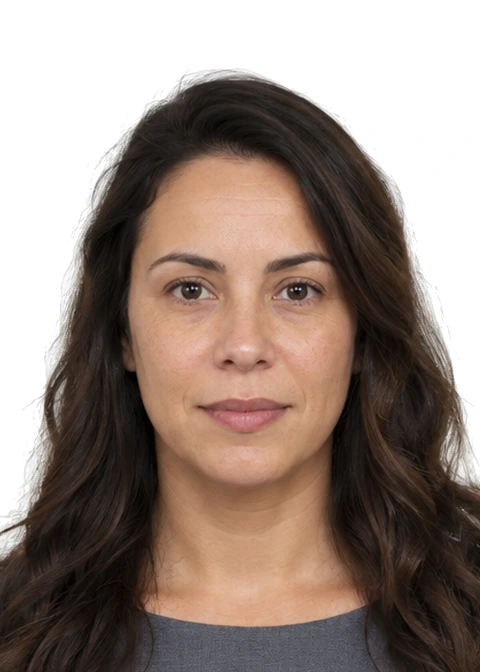

How to take a Resume Photo with your phone
CV photo size and placement
The CV photo is 25×35 mm, the one-inch rectangle from the studio menu. It moves from forms to the top of a résumé. The size in millimetres stays the same, but the audience changes: no counter checks the crop, while a hiring reader notices everything else.
Background colour
White is the safe default across markets; blue appears in some regions and industries. Pick the one your market expects and stay consistent across every copy of the CV. A photo that changes colour between versions reads as carelessness.
Setup and lighting
Use a plain wall, soft frontal light, camera at eye level and a natural distance. Aim for a business-ready look: a composed, approachable expression reads better on a CV than blank neutrality.
Page output
The preset crops to the exact 25×35 mm rectangle at print resolution, with the background set to white or blue and the light evened, ready for the CV layout.
Why Resume Photo gets rejected
Passport expression
Blank neutrality, hair flattened and jaw set make the passport expression read as distance on a CV. The photo should look like someone a team could work with.
Casual originals
Party crops and holiday frames rescued into 25×35 carry their origin in the lighting and in the company at the edge of the frame. A CV photo should be taken for the CV.
Common faults
Harsh shadows, tilted heads and busy backgrounds are reasons a CV photo works against the page it sits on. They do not cause form rejections.
How it works
Photo tips
Frequently asked questions
What size is a Resume Photo?
The standard size is 25 × 35 mm (295 × 413 px at 300 DPI). The tool crops and scales your photo to exact requirements automatically.
Can I smile in the photo?
Requirements call for: a natural expression. When in doubt, keep a neutral face with both eyes open.
How recent must the photo be?
Old photos are a common rejection reason.
Is my photo private?
Yes. Uploaded photos are encrypted in transit and automatically deleted within 24 hours. We never share or resell uploads.
White or blue background for a CV photo?
Both are common — white is the safe default, blue appears in some markets; pick one and the tool sets it exactly.
Can I take it with my phone?
Yes. A plain wall, even light and an eye-level phone cover it; the tool handles the crop, background and print size.