Schengen Area Passport & Visa Photos
We support 1 document photo type for Schengen Area. Pick your document, upload a selfie, get a compliant file in under a minute.

All 1 document type we support
Schengen Area photo requirements at a glance
Schengen Area document photos
| Document | Printed size | Digital size | Background |
|---|---|---|---|
| Schengen Visa Photo | 35 × 45 mm | 413 × 531 px | White/Light grey |
About photo requirements in Schengen Area
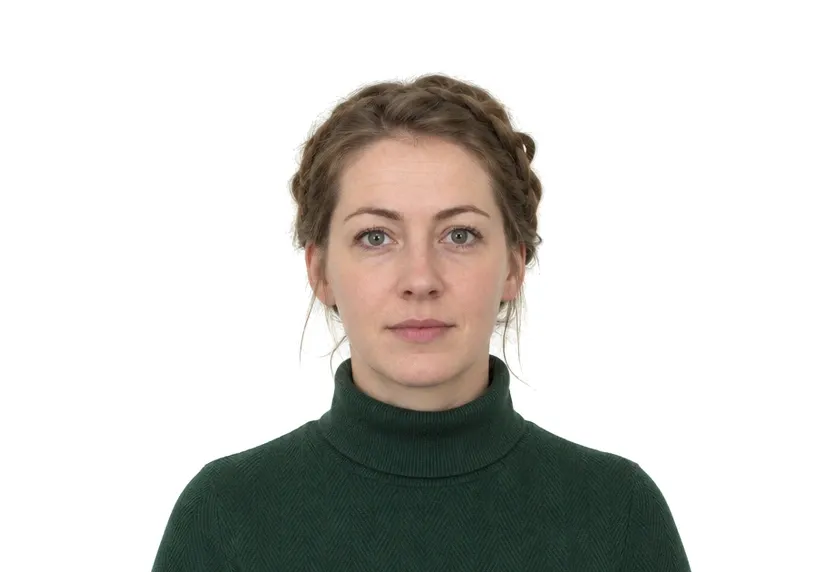
Schengen visa applications use one photo standard across all member consulates: 35×45mm, colour, on a plain light background, taken within the last six months. The same photo works whether you apply at the French, German, Italian or another Schengen counter.
The Schengen page below shows the shared specification with its official source. The studio produces a file that fits every Schengen consulate counter.
How to take Schengen Area document photos with your phone
One rectangle format for twenty-nine counters
Schengen documents use one shared photo format: 35×45 mm, a plain white or light-grey background, and the face between 32-36 mm from chin to crown. The same format applies at every consulate that takes the application.
American square format
Travellers from the US system arrive with 51×51 mm squares, which are not accepted for Schengen applications. A photo cropped for that square cannot be reused: the rectangle is taller, the face band sits differently, and stretching one into the other distorts the face.
Digital upload and paper print from one file
The digital upload version is 413×531 px; consulates that still want paper take the 300 dpi print from the same file. Frame once with generous headroom.
Shared standards
Neutral expression, mouth closed, no headwear, eyes on the lens; glasses off where the rules ask. ICAO-derived practice applies in every member state, so the same habits pass at one consulate and at the next.
Why Schengen Area document photos get rejected
Measured faults
Wrong rectangle, face outside 32-36 mm, and off-centre framing are checked first; a template catches these faults in seconds.
Background faults
Patterned backdrops, shadows, gradients. In the Schengen reading, plain means uniform, and a shadowed corner fails just as a printed pattern does.
Subtle rejection causes
Tinted glasses, faces turned a few degrees, files that went through a smoothing app. The photo looks fine on a phone and is held up at the counter.
How it works
Photo tips
Take one good selfie — it works for every document type.