US Passport Card Photo
The U.S. passport card uses the same photo as the passport book: 2 × 2 inches on a plain white background, head 25–35 mm from chin to crown. The studio outputs the exact State Department format.
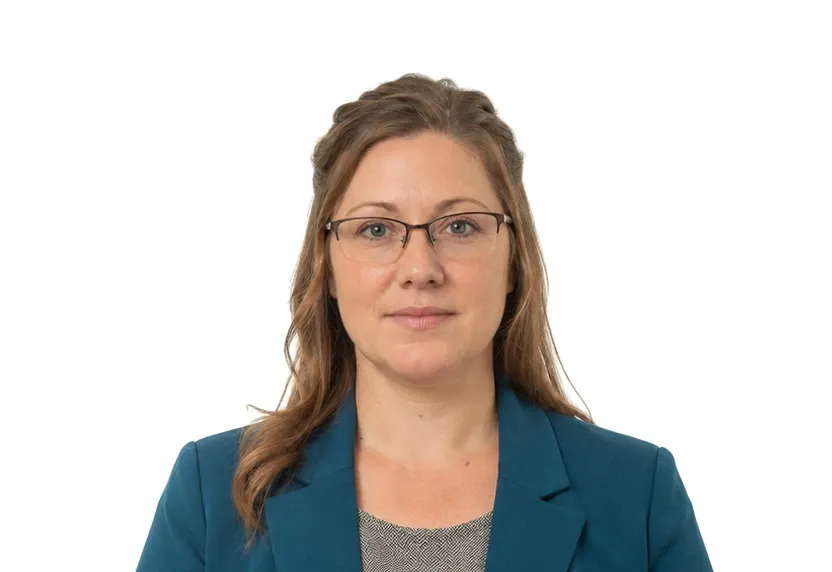
Size & specifications
US Passport Card Photo — requirements
| Printed size | 51 × 51 mm |
|---|---|
| Digital size | 602 × 602 px |
| Head height | 25–35 mm (1 to 1-3/8 in) from chin to top of head |
| Background | Plain white or off-white |
| Resolution | ≥ 300 DPI |
| Recency | Within 6 months |
| Glasses / expression | No eyeglasses · Neutral facial expression, both eyes open |
| Digital format | 51 × 51 mm · 2 × 2 in |
One upload, two deliveries: the pixel-exact digital file and a 300 dpi print-ready sheet.
What each line means
Printed size — print at exactly 51 × 51 mm. A few millimetres off and most offices hand the form back before anything else is checked.
Digital size — the digital file must measure 602 × 602 px. Anything smaller gets refused by many online systems before a person sees it.
Head height — your head, crown to chin, should span 25–35 mm (1 to 1-3/8 in) from chin to top of head. Too small reads distant; too large and the crop will not fit.
Background — a plain Plain white or off-white background, with no shadows or gradients. A wall lit unevenly is the fastest route to a refusal.
Resolution — 300 dpi keeps a face sharp in print. Below that, features soften and agencies ask for a retake.
Recency — Within 6 months. Hair, glasses and weight change faster than people assume, and the officer compares the photo with you at the counter.
Glasses / expression — glare on lenses hides the eyes, and hidden eyes are an automatic rejection in most systems. If you wear glasses, read this line twice.
Digital format — some portals accept a single file type and quietly refuse everything else. Check what you are handing over before you upload.
Photo examples
What passes — and what gets rejected.


How it works
Photo tips
Frequently asked questions
What size is a US Passport Card Photo?
The standard size is 51 × 51 mm (602 × 602 px at 300 DPI). The tool crops and scales your photo to exact requirements automatically.
Can I smile in the photo?
Requirements call for: Neutral facial expression, both eyes open. When in doubt, keep a neutral face with both eyes open.
How recent must the photo be?
Within 6 months Old photos are a common rejection reason.
Is my photo private?
Yes. Uploaded photos are encrypted in transit and automatically deleted within 24 hours. We never share or resell uploads.