UK Online Visa Photo
For UK visa and permission applications submitted online, upload a photo at least 600×750 pixels in portrait orientation, a JPG between 50 KB and 6 MB. The studio outputs a 600×750 portrait JPEG.
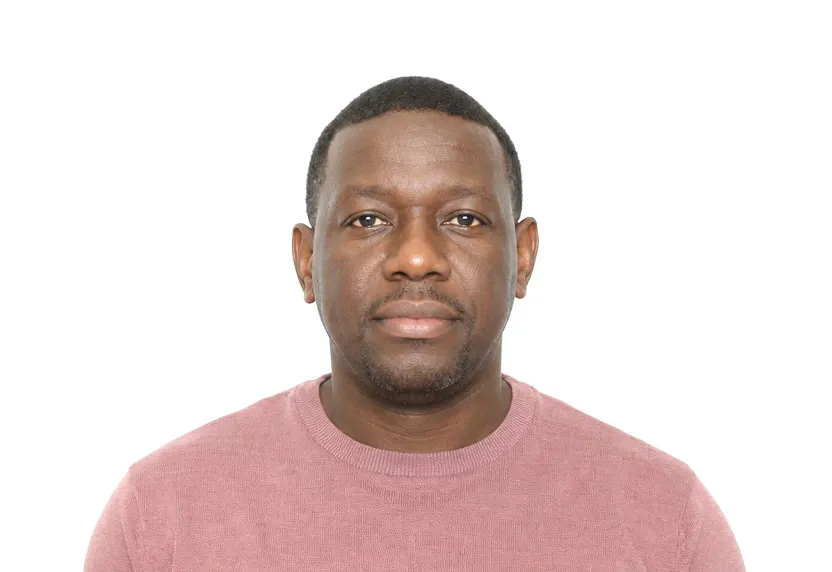
Size & specifications
UK Online Visa Photo — requirements
| Printed size | — |
|---|---|
| Digital size | 600 × 750 px |
| Head height | — |
| Background | White |
| Resolution | ≥ 300 DPI |
| Recency | — |
| Glasses / expression | — · Clear and in focus, not digitally altered |
| Digital format | JPG or JPEG, 50 KB to 6 MB, at least 600×750 px, vertically orientated |
One upload, two deliveries: the pixel-exact digital file and a 300 dpi print-ready sheet.
What each line means
Digital size — the digital file must measure 600 × 750 px. Anything smaller gets refused by many online systems before a person sees it.
Background — a plain White background, with no shadows or gradients. A wall lit unevenly is the fastest route to a refusal.
Resolution — 300 dpi keeps a face sharp in print. Below that, features soften and agencies ask for a retake.
Digital format — some portals accept a single file type and quietly refuse everything else. Check what you are handing over before you upload.
Photo examples
What passes — and what gets rejected.
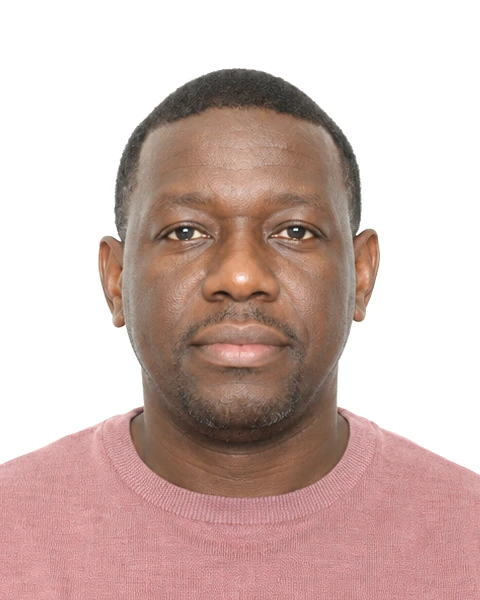
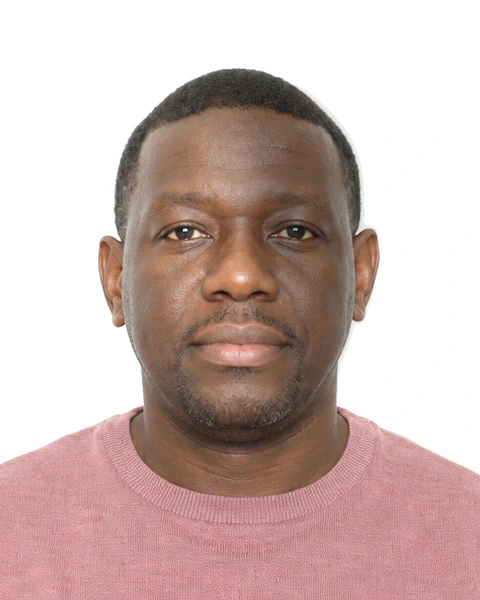
How to take a UK Online Visa Photo with your phone
Digital photo size and aspect ratio
The UK online visa application requires a digital photo in a vertical format of at least 600×750 px. It is a 4:5 portrait, and a 35×45 mm print crop does not reproduce it. This difference in geometry is why the page has its own preset instead of reusing the paper visa tool.
File format and upload requirements
The file must be JPG or JPEG, between 50 KB and 6 MB, vertically oriented, sharp and in focus. The upload gate checks the file wrapper before any human sees the face. An undersized file, an over-compressed file, or a sideways rotation will stop the application.
Photo setup for screen review
Use a plain background, even lighting, and hold the phone at eye level. The reviewer sees the photo on a screen, so uneven light and background clutter are more noticeable than in print. Use a neutral expression and no headwear. Remove glasses unless you cannot keep them off.
Editing restrictions
The guidance states that the photo must not be changed by editing software. Cropping and colour correction by the tool are part of the process. Smoothing apps and manual retouches are not part of the process. This page outputs the compliant file and checks ratio, background and file format before download.
Why UK Online Visa Photo gets rejected
Upload failures
Files under 50 KB or over 6 MB, resolutions below 600×750 px, and landscape orientation are rejected by the system at upload, before anyone judges the photo. These faults are not visible in the image itself, which makes them easy to miss.
Crop and aspect ratio
A crop built for the 35×45 mm paper standard does not fit this channel. Stretching it to fit distorts the face. Shoot for the 4:5 frame from the start; the preset here maintains the proportions.
Edited files and common rejections
Smoothing, background swapping, and manual brightening are outside what the rules allow. Reviewers looking at a screen catch these artifacts quickly. Other failures are the same as elsewhere: shadowed walls, tilted heads, and tinted glasses.
How it works
Photo tips
Frequently asked questions
What size is a UK Online Visa Photo?
The standard size is 600 × 750 px (600 × 750 px at 300 DPI). The tool crops and scales your photo to exact requirements automatically.
Can I smile in the photo?
Requirements call for: Clear and in focus, not digitally altered. When in doubt, keep a neutral face with both eyes open.
How recent must the photo be?
Old photos are a common rejection reason.
Is my photo private?
Yes. Uploaded photos are encrypted in transit and automatically deleted within 24 hours. We never share or resell uploads.
What are the UK online visa photo requirements?
JPG or JPEG, 50 KB to 6 MB, at least 600×750 px in portrait orientation, white background, clear, in focus and not digitally altered.
Why was my photo rejected?
Usually the file: wrong format, outside 50 KB-6 MB, below 600×750 px, or landscape. Altered or blurred images are the other main cause.
Can I edit my photo before uploading?
Heavy edits count as digital alteration and are rejected. Shoot against a plain white wall so no retouching is needed, and let the tool handle the size and format.