Japan Visa Photo
35×45mm white background photo for Japan visa applications.
- Printed size
- 35 × 45 mm
- Digital size
- 413 × 531 px
- Background
- White
- Head height
- 32-36mm
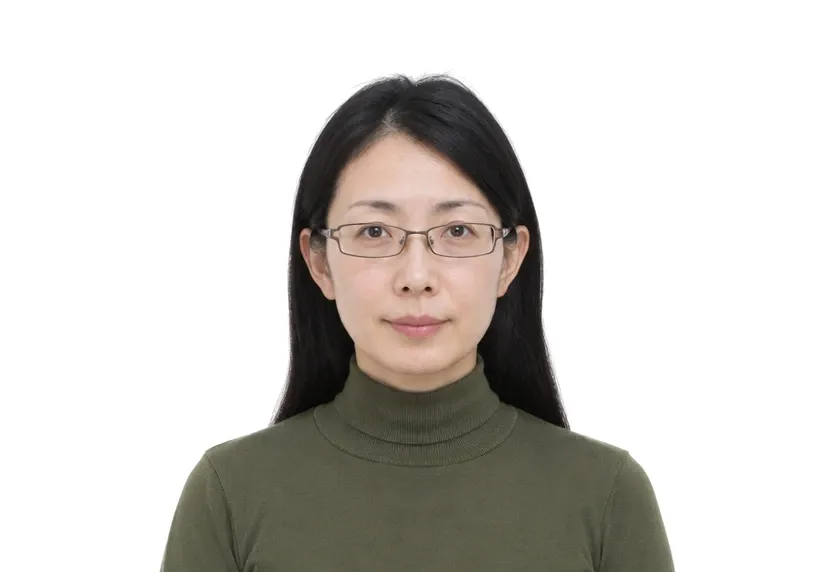
Size & specifications
Japan Visa Photo — requirements
| Printed size | 35 × 45 mm |
|---|---|
| Digital size | 413 × 531 px |
| Head height | 32-36mm |
| Background | White |
| Resolution | ≥ 300 DPI |
| Recency | — |
| Glasses / expression | — · — |
| Digital format | — |
One upload, two deliveries: the pixel-exact digital file and a 300 dpi print-ready sheet.
What each line means
Printed size — print at exactly 35 × 45 mm. A few millimetres off and most offices hand the form back before anything else is checked.
Digital size — the digital file must measure 413 × 531 px. Anything smaller gets refused by many online systems before a person sees it.
Head height — your head, crown to chin, should span 32-36mm. Too small reads distant; too large and the crop will not fit.
Background — a plain White background, with no shadows or gradients. A wall lit unevenly is the fastest route to a refusal.
Resolution — 300 dpi keeps a face sharp in print. Below that, features soften and agencies ask for a retake.
Photo examples
What passes — and what gets rejected.
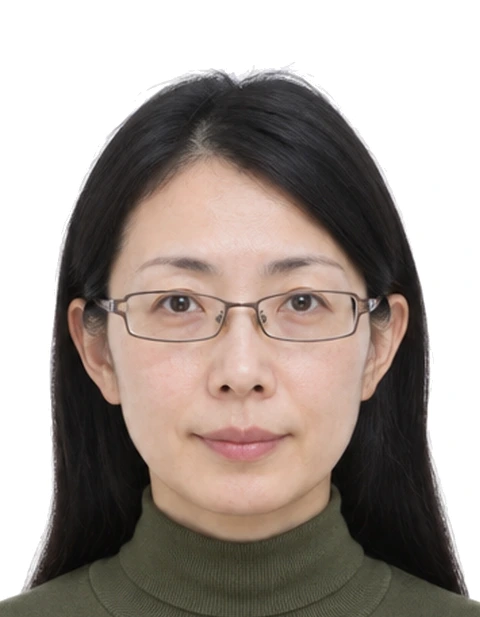
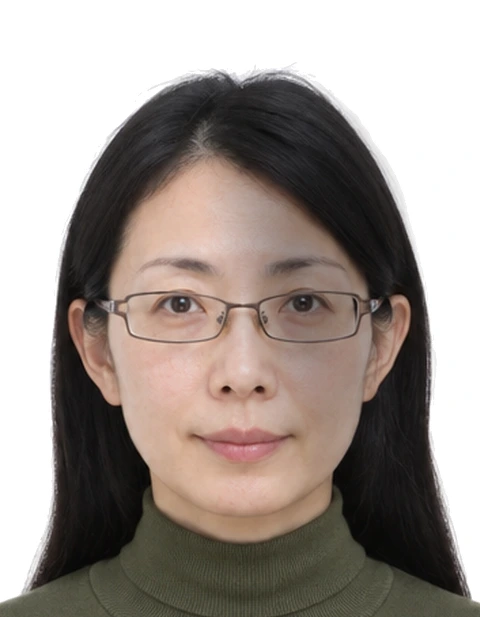
How to take a Japan Visa Photo with your phone
Current Japan visa photo size
The Japan visa photo is now a 35×45 mm portrait on a white background, in line with the 2025 photo standards. The 45×45 mm square that older guides describe is the previous format. Applications prepared to it get returned on dimensions alone, so use the rectangle.
Head size and centring
The head runs 32-36 mm from chin to crown and sits centred with clear margins on both sides. This is the same facial band used by the Schengen system, so the same framing can be used for both; only the destination on the application form changes.
Setup and lighting
Use a plain white wall, stand half a metre back, and hold the phone at eye level with a little headroom. Front daylight keeps the face even and the wall white. Keep a neutral expression, mouth closed, no headwear, and eyes on the lens. Leave glasses off unless they are unavoidable.
Output file and dimensions
The tool crops to the exact 35×45 mm rectangle at 300 dpi and flattens the background to plain white. It checks ratio, head position and background before download. The digital file for online lodgement is 413×531 px from the same preset.
Why Japan Visa Photo gets rejected
45×45 mm square format
The 45×45 mm square is the named mix-up. Labs still offer it, older pages still describe it, and the application still rejects it. A photo prepared as a square cannot be stretched into the rectangle without distorting the face, so shoot for 35×45 mm from the start.
Head size and centring errors
Heads outside 32-36 mm, faces pushed toward an edge, hair cropped at the frame line. Reviewers check these against the rectangle before anything else, because they are the fastest faults to measure.
Background, tinted glasses and head tilt
Off-white walls, shadows and gradients read as non-plain backgrounds. Tinted glasses and tilted heads follow. None of these look wrong on the phone screen, and all of them stall a file at the consulate counter.
How it works
Photo tips
Frequently asked questions
What size is a Japan Visa Photo?
The standard size is 35 × 45 mm (413 × 531 px at 300 DPI). The tool crops and scales your photo to exact requirements automatically.
Can I smile in the photo?
Requirements call for: a natural expression. When in doubt, keep a neutral face with both eyes open.
How recent must the photo be?
Old photos are a common rejection reason.
Is my photo private?
Yes. Uploaded photos are encrypted in transit and automatically deleted within 24 hours. We never share or resell uploads.
Can I take it with my phone?
Yes. A plain white wall, even light and an eye-level phone are enough; the tool handles the exact 35×45 mm crop and the background colour.
What digital file does the application use?
413×531 px at 300 dpi is the standard digital file; the tool exports it next to the print size.