College Entrance Exam Photo
Gaokao (National College Entrance Examination) registration photo. 480×640px white background, strict file size control.
- Digital size
- 480 × 640 px
- Background
- White
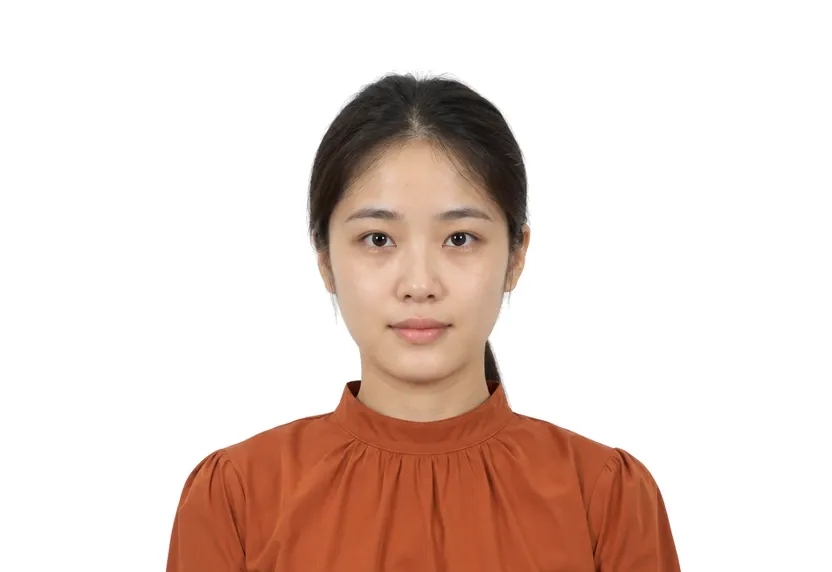
Size & specifications
College Entrance Exam Photo — requirements
| Printed size | — |
|---|---|
| Digital size | 480 × 640 px |
| Head height | — |
| Background | White |
| Resolution | ≥ 300 DPI |
| Recency | — |
| Glasses / expression | — · — |
| Digital format | — |
One upload, two deliveries: the pixel-exact digital file and a 300 dpi print-ready sheet.
What each line means
Digital size — the digital file must measure 480 × 640 px. Anything smaller gets refused by many online systems before a person sees it.
Background — a plain White background, with no shadows or gradients. A wall lit unevenly is the fastest route to a refusal.
Resolution — 300 dpi keeps a face sharp in print. Below that, features soften and agencies ask for a retake.
Photo examples
What passes — and what gets rejected.
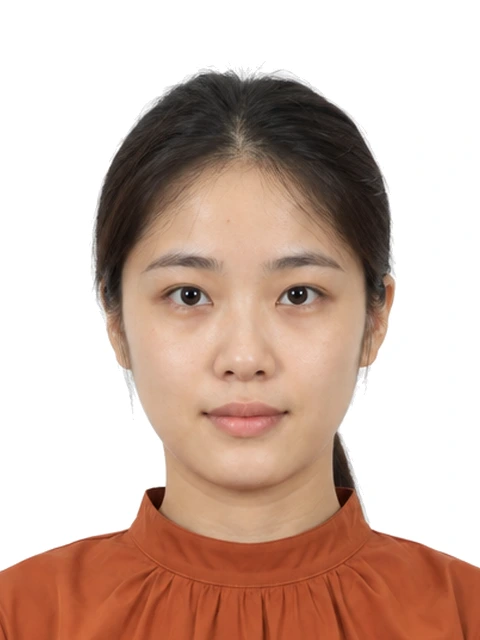

How to take a College Entrance Exam Photo with your phone
File size and pixel dimensions
The gaokao registration photo is 480×640 px on white, and its file size must be between 20 and 40 KB. This is the narrowest file-size range on this site. The registration portal reads both numbers at upload.
Face and head requirements
The face must be bare: no hat, no headband, no fringe across the forehead. The head fills about two thirds of the frame height, chin to crown. The registration system reads the head's share of the image.
Camera setup and lighting
Use a plain white wall, even frontal light, camera at eye level, and hair off the face. Shoot once and upload once; retakes during registration season take longer.
Preset output
The preset exports exactly 480×640 px, holds the head near two thirds of the frame, and compresses the file into the 20-40 KB window. The file is sized, weighted, and checked before export.
Why College Entrance Exam Photo gets rejected
File size outside the range
A 200 KB phone original fails high. A 12 KB thumbnail fails low. Both rejections arrive at upload. Export through the preset instead of a gallery editor to avoid them.
Covered face
Hats, headbands and heavy fringes are named faults. The portal compares the visible face against the registered one for years afterwards. A covered face can produce a flagged identity.
Common faults
Shadows, tilts, and off-white walls are standard refusals. The photo is used at every exam hall.
How it works
Photo tips
Frequently asked questions
What size is a College Entrance Exam Photo?
The standard size is 480 × 640 px (480 × 640 px at 300 DPI). The tool crops and scales your photo to exact requirements automatically.
Can I smile in the photo?
Requirements call for: a natural expression. When in doubt, keep a neutral face with both eyes open.
How recent must the photo be?
Old photos are a common rejection reason.
Is my photo private?
Yes. Uploaded photos are encrypted in transit and automatically deleted within 24 hours. We never share or resell uploads.
What are the gaokao photo requirements?
480×640 px JPG, file size 20-40 KB, white background, face bare and centred.
Why was my gaokao photo rejected?
Most often the file size was outside 20-40 KB or the pixels were not 480×640. Background colour and shadows account for most other rejections.
Can I wear makeup or accessories?
Keep it minimal. Heavy makeup and accessories that change your appearance are the usual reasons for a re-shoot request.